Parse crontabs in DuckDuckGo

My favourite search engine recently released a way to create and add plugins to their zeroclick info box. There are some good examples and a starting guide in the DuckDuckHack website. I checked out their Ideas page and picked up something that looked useful and fairly easy to implement: parsing a crontab into a human readable output.

Implementing it took about a day, and showed me how insanely useful CPAN is. The DDG folks were nice enough to add unit tests and tweak the code a bit, and have now released it on their website.

ddg-crontab-thumb-500x86-18

Good link roundups on the web

Newsletter 4/29

Pic vaguely related (Photo credit: Christopher S. Penn)

There are some very good blogs and newsletters that post (somewhat) weekly summaries of interesting links. Here are the ones I follow regularly:

That should be enough for now. Sign up, subscribe and have fun!

Enhanced by Zemanta

Collusion

collusion-thumb-500x392-15

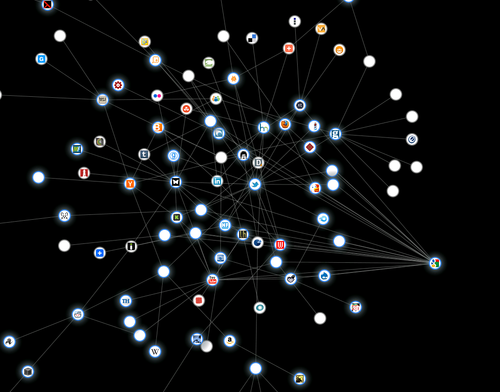
The folks at the Guardian released a Firefox addon recently. Called Collusion, it silently tracks third party sites that track users across multiple sites. I’ve run it for something like two days so far, and its depressing how I’ve littered my trail all over the web. The UI is very nicely done, and highlighting an icon shows all the sites it connects to and greys out the rest.

Related articles

Enhanced by Zemanta

My Email Client is my RSS Reader

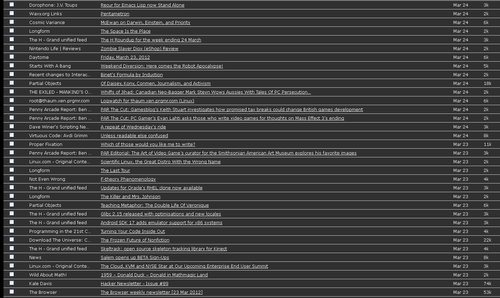
rss2email is a kick-ass RSS solution that I’ve been using for quite awhile now. It works exactly the way it sounds: You provide it a list of feeds, and it mails you hourly when one or more of them get updated. I now have 100+ feeds added to it. Every morning I log in and skim through the 30-40 emails that come straight to my ‘alerts’ folder. Here is what a random day’s email looks like for me:
I hit 10000 mails in this folder last week. Here is what I’ve learnt:

r2e-thumb-500x298-12
  • Don’t use this to subscribe for web sites that update frequently. I have direct bookmarks for sites like the Guardian and Metafilter.
  • Pictures/Videos don’t work too great. Obviously, because any decent email client blocks external images.
  • Some good sites have feeds for specific tags in case you don’t want the rest of the content. Not Exactly Rocket Science’s great link round up is a fine example.

I’m always on the lookout for newer feed readers, but this is the one I’ve settled with quite comfortably.

Test driving ownCloud

I’ve wanted something like this for some time, so I’m glad I met this beautiful project called ownCloud. It is an open source cloud storage service that has some pretty neat features.

The installation was laughably easy: I just ftp’d and extracted the zip file to my www root and provided a username and password in the install page that came up. That was it. It took me quite a bit longer to get webdav working in my stupid windows pc. Anyway I wasn’t too keen on the synchronization aspect so I didn’t bother with it too much. FTP’ing some music and pictures directly to my account’s data directory was sufficient for my purposes.

This is where the project starts to shine. An in-built media player allows music to be streamed automatically. It even persists when navigating to other sections in the ownCloud page (there’s just a momentary skip between page loads). Similarly, uploaded pictures show up automatically in a gallery. For text files, there’s an in-built text editor that refused to work for me (saving a file ended up in a 0 byte file.. maybe a permission problem?)

That’s not the end of it, so far I can see that it has facilities for bookmarks, calendaring, address books, sharing, and so on. Although it occasionally feels buggy, it does a fine job on the whole.