I finished Ghost Recon on my 3DS this week. I can’t remember the last game I played all the way till the end. So yes, the game is good. It is easily the best in my 3DS catalog right now (I’ve clocked more time on it than Ocarina of Time, sue me). The cons first: the story is nothing very great, and the conversations at the start of each level don’t add much to the game. On the bright side, the one thing I hate in a strategy game is the grind, and thankfully this game has none. I played in Easy mode, and pretty much breezed through most of the levels without needing more than one attempt.
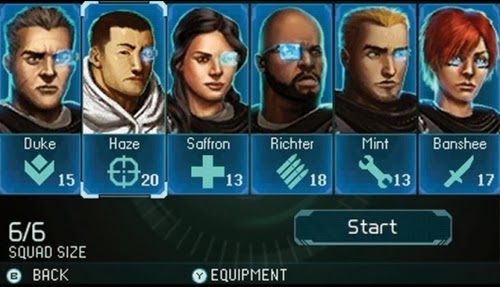
Ghost Recon is a turn based strategy game that gives you a team of at most six soldiers from different classes. The balance might be a bit off for some of them, because I found myself relying heavily on a subset of the team: Banshee, the scout with invisibility and a hella-powerful knife; Mint, who can deploy drones; Haze, the sniper; and Saffron the medic. Although I suppose it was good in the sense that I became more attached to these characters and selected them in every possible case. The levels are reasonably varied, and will occasionally require one to think well before acting. You can capture Command Points and spend the accumulated points on extra turns, energy, or a deadly airstrike.
As the team members level up, you can assign points to them and unlock better weapons or stats. Each character has a primary and secondary weapon, so there is a reasonable amount of variety to keep things fresh. The medic (and the Command Centre) allows an extra turn for a player, so it is great fun chaining attacks with someone like Banshee. The difficulty spikes up a bit when drones are introduced midway through the game, and evens out when you change your play style and weapon loadout accordingly.
This kind of game is perfect for a handheld – playable in short bursts, not a nightmare on the battery, and fresh enough to be enjoyable all through.