AsyncIO Python Pitfalls

In an earlier post I mentioned switching my code to use Python3’s Async/Await and not seeing any noticeable improvements. In an article on LWN this week the answer popped out:

Much of the Python standard library is written in blocking fashion, however, so the socket, subprocess, and threading modules (and other modules that use them) and even simple things like time.sleep() cannot be used in async programs. All of the asynchronous frameworks provide their own non-blocking replacements for those modules, but that means “you have to relearn how to do these things that you already know how to do”, Grinberg said.

(From An introduction to asynchronous Python )

That’s an annoyance that I can’t easily fix if I use other libraries that internally use these blocking modules. So I’ll need to see if I can break down the logic into smaller chunks and write asnyc versions for some parts at least (e.g. the fetching of a webpage if not for the pdf conversion, or by calling a subprocess asynchronously instead of using the existing blocking library).

The docs have sections for async transports, protocols, subprocesses and so on, so I’ll need to spend some time looking at it before I proceed.

More to come when I make some progress.

web2pdf – A tool to export bookmarks to PDF

Here’s a follow up to my earlier post on archiving. I spent a couple of days coming up with a quick Python app to fill my needs.

Here it is: web2pdf.

Once installed, the configuration simply expects a bookmarks.html file on the filesystem. It reads it, stores the contents to an sqlite DB and starts  saving PDF versions of each link there-in.

You can kill the script and re-run it at a later point in time and it will continue where it stopped. The output looks like this:

(pdf) bash-4.3 ~/code/web2pdf/web2pdf$ ./web2pdf.py 
Found 2599 links in the bookmark file
Found 2599 rows in the bookmark db
..of which 81 links are already saved
..and 2506 are pending
Hit enter to start downloading pending PDFs
Downloading https://www.quantamagazine.org/20170207-bell-test-quantum-loophole/ | experiment-reaffirms-quantum-weirdness

There are more details in the github link. I’m not happy with how fast slow it is but I seem to be limited by the library I’m using and the use-case itself: fetching a page is trivial but it has to render it before exporting it.

As always there is more to do but it works pretty well already. It tags failed bookmarks separately in the DB in case it needs retrying later. I’ve tried to speed it up using Python3’s native async/await, but the performance improvements are not noticeable so far. I’ll try with multiprocess instead and commit whichever one works better.

The trials of a link hoarder

Early days – Pinboard and friends

I read/skim a lot of news on the internet and my current major problem is information retrieval. For a while I used a combination of Pinboard with Pocket, and later, Diigo with Pocket.

pin
4k bookmarks on pinboard :(

Eventually I realized that it was painfully hard to recollect something I’d come across a few months back. I don’t use too many tags and what really mattered was the full text search.

The other problem was link rot. For both reasons I wanted an archiving service that would cache the page and let me search through and see the content even if it disappeared down the line. Pinboard has one, but my next problem/solution was PDFs.


Files (PDFs) instead of links

I have a few 100 PDFs I’ve collected along the way. It would be a pain to upload each of them somewhere just to archive it. So the next option I investigated was one that would combine the two approaches. I already use Google Drive and the web interface has decent search functionality. What if I could archive my remaining bookmarks as PDFs and just dump them to my Drive?

And along the way.. Evernote

ever
The evernote native client

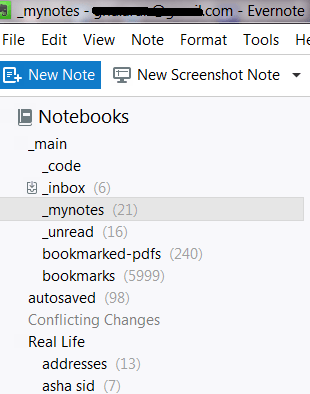
The last piece is with Evernote. I started using it sometime back and have already imported my bookmarks and PDFs to it, but at this point it only has the title, tags and url for the links. It has pretty decent full text search as well. I’ve started storing a lot of other notes to it, with cross-references to other notes and links.

Where do I go from here? Evernote is actually pretty good except for the nagging fear of what would happen if it ever shut down.

DIY

So my current hobby project has two pieces to it.

  1. Import a bookmarks.html file and convert every link in it to a pdf. I’m picking python for this and have found weasyprint which seems to do the main conversion pretty well.
  2. Once I have a few thousand PDFs in my filesystem instead of links, find a nice, cross platform way to search through them. Evernote still works perfectly fine here so I’m not too keen on doing this immediately.

In summary: Evernote is cool.  The web clipper works great from browsers (not so much from the android app). The native windows client is pretty nice too, and its lightning fast to take a quick note and organize it later.

PDFs are probably going to be the main thing I’ll base my system on. I don’t have to depend on a closed-source service going down, nor do I have to worry about the source itself disappearing.