Bash: Move between directories with ease

Bash has tons of stuff that can really make one productive on the terminal. If you just moved into a folder and want to quickly switch back to the one you came from, cd - does the job.

Here’s an example:

thaum:/etc/apache2# cd /var/log/apache2/
thaum:/var/log/apache2#
thaum:/var/log/apache2# # do something
thaum:/var/log/apache2# cd – /etc/apache2
thaum:/etc/apache2#

That works out for simple tasks, but there’s a lot more. Say hello to pushd. Bash has a directory stack that holds your current working directory. Call pushd with another path and it gets added to the stack. Repeat as many times as needed and you get a pile of directories that you can switch to immediately. popd removes the current entry from the stack.

This is how it works:


thaum:/etc/apache2# ### I want to switch between my logs and my etc now, so I start with this
thaum:/etc/apache2# pushd /var/log
/var/log /etc/apache2
thaum:/var/log# cd apache2
thaum:/var/log/apache2# ### I can go to other folders now and the stack is updated accordingly
thaum:/var/log/apache2# # do something
thaum:/var/log/apache2#
thaum:/var/log/apache2# pushd /var/www ### Add my apache root folder to the stack as well
/var/www /var/log/apache2 /etc/apache2 ### Three entries are now available!
thaum:/var/www#
thaum:/var/www# # do something else
thaum:/var/www#
thaum:/var/www# pushd +2 ### I want to go back to my /etc folder, so I call pushd with the +2 arg
/etc/apache2 /var/www /var/log/apache2
thaum:/etc/apache2#
thaum:/etc/apache2# pushd ### Without any args, it goes to the most recent directory in the stack
/var/www /etc/apache2 /var/log/apache2
thaum:/var/www#

At work I organize something like this for a set of commonly used folders in a screen session, and it really helps. It’s a bit of a bother typing pushd +2 or pushd +3 each time, so I also have the following aliases to really speed things up.


function pd { pushd $@; }
function pd2 { pushd +2 $@; }
function pd3 { pushd +3 $@; }

Now I just do a pd /path/to/file and pd2, pd3 etc to swap between them.

Quick shell script to randomly change wallpapers

For no particular reason, I was trying to figure a way to make my wallpaper switch randomly on each startup. After some brief googling around and some experimentation, I came up with this brief script that does the work just nice. (Alright, it may not be the neatest, fastest, or easiest way of doing it, but its the first thing that came in my mind. Hope it helps.)

Well before that here’s the list of assumptions: I use bsetbg for setting the wallpaper. You might want to use fbsetbg, fbsetroot or whatever. Also, I’m picking up the images from a folder in ~/pictures/recent. You might want to change that one too if you want to use the same script. And finally, I use Fluxbox, so I just need to mention this script in Fluxbox’s startup file to make it run each time. You’ll have to do similar stuff depending on your Window Manager, or just run a cron job or something.. So alright, here’s the file:

#!/usr/bin/bash
#randwall.sh: Randomly sets wallpaper each time it’s run

#Count how many images are there in my folder..
WCOUNT=`ls -1 ~/pictures/recent/* | wc -l`;

#Generate a random number within that range..
num=$[ ( $RANDOM % $WCOUNT ) + 1 ];

#Pick up that particular image..
MYPIC=`ls ~/pictures/recent/* |sed -n ‘ ‘$num’p ‘`;

#and set it as the wallpaper!
bsetbg $MYPIC;

Update: I know, I know, I’m a real idiot. I just found out you can do the exact same thing using fbsetbg -r folder-name. Oh well, at least it was useful learning about $RANDOM and all..

My favourite CLI apps

My machine isn’t the fastest, so I’m always on the look out for simple and powerful CLI tools instead of the prettier, GUI driven ones. Having said that, I like these so much that I don’t intend to really switch, even if I get the hardware eventually. Here’s a short list of my favourite ones:

centericq: This neat little IM client is what I use for Google Talk. It also supports Yahoo, MSN, IRC, and some other protocols. This is an ideal example of how a good CLI app should be.

orpheus: From the creator of centericq comes this nice little mp3 player for the shell. Apart from mild problems in playlist loading/saving, this one is pretty comfortable to use too. Another nice player I’ve tried is mp3blaster.

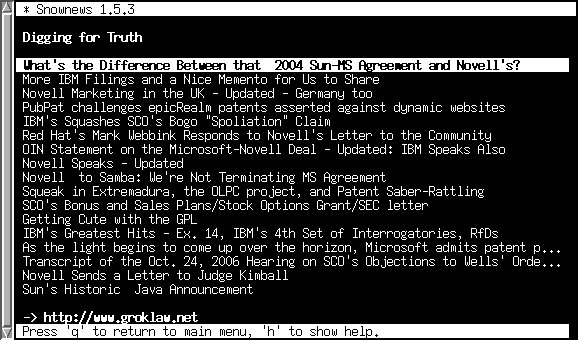
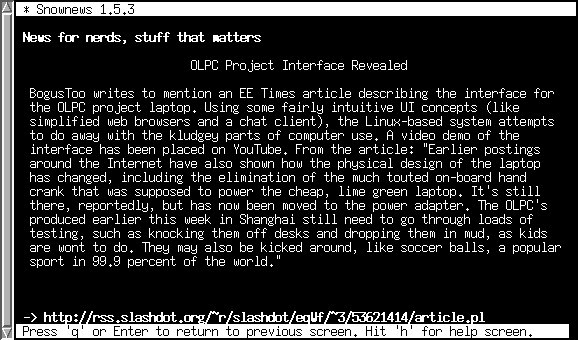
snownews: I’ve mentioned this already, and its worth a look. Nice pleasant feedreader, allows opening the news with any browser and stuff like that.

lynx: This is a pretty popular shell browser and probably needs no introduction.. I use it with snownews, it even opens sites like gmail, and I like the purty colours.

mc: The GNU midnight commander filemanager doesn’t really need any introduction either. I used to use ROX Filer before, but I fell in love with mc once I got used to it. This one is a must have. I just love the sensible function key mappings, directory hotlists & emacs-style bindings.

Well these are the most common ones I use. Emacs might count in the list, but I usually run the GUI version. If you like tools like these, and know other similar ones that I might like, let me know!

P.S. Things like mutt and irssi didn’t make this list because I like gmail and don’t use IRC respectively, so my experience with them is limited.

Review of newsreaders

I’ve been searching for an on-line, customizable equivalent of popurls, which is one really nice site. As for my requirements, I needed something simple and fast. Something very customizable would’ve been an added advantage. The sites I ended up testing were Bloglines and Google Reader.
Bloglines
Bloglines snapshot
This one is pretty good. You can group your feeds in folders, save them in separate playlists, blog or save interesting articles, and other such stuff. A very interesting feature: it gives you randomly generated e-mail addresses, so you can sign in for newsletters as well, and read everything in one place. The whole article is viewable (not just the summary); that’s another very nice feature.

Among its drawbacks: well, probably nothing much really. Some minor nitpicks, such as feeds disappearing once you open them. An extra click is required to display unread items. Some might see this as a feature of course, but I usually prefer a feed to show the most recent articles even if I’ve read them.

Google Reader
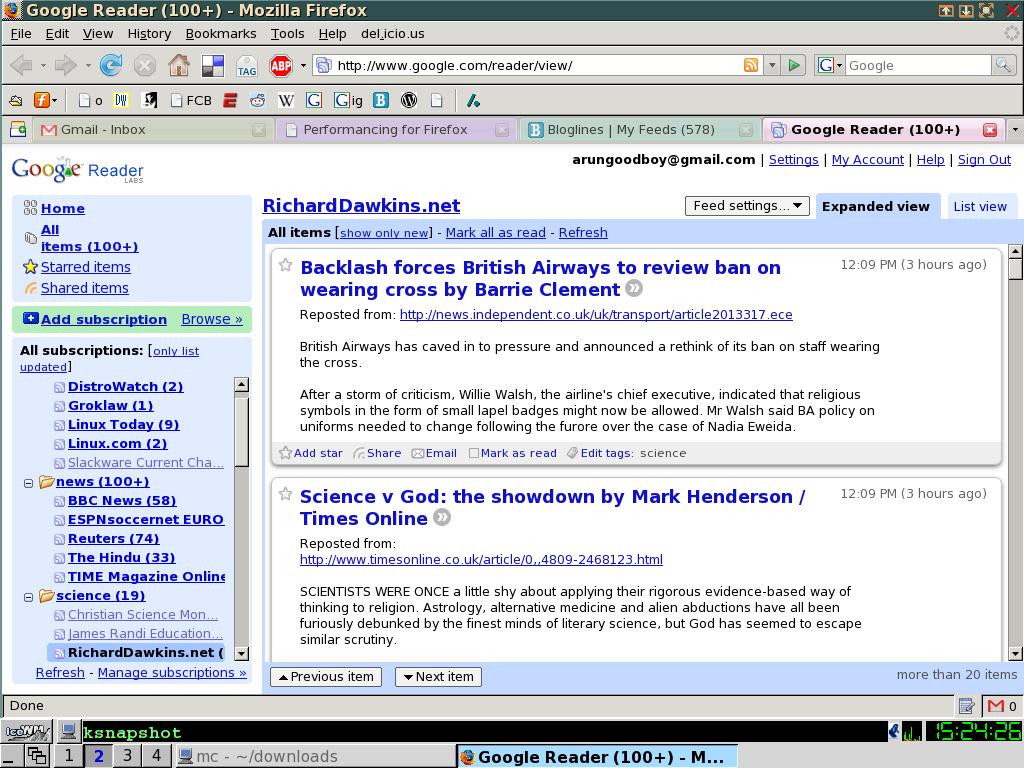
Google Reader snap
I’d already been using Reader just for my comic strips, this time I decided to import everything from Bloglines and give the whole thing a try. Like most google apps, it uses those ajaxy thingies to give a much smoother and cleaner experience.

It has the usual bunch of shortcut keys (Bloglines does too). On the whole, it is simple, and works. The features aren’t as extensive as Bloglines. There is little to choose between the two eventually: both do their job fairly well.

Conclusion
What did I settle with eventually? Neither. As I said, I wanted something like Popurls. Both the ones I reviewed collect unread messages by the dozen. Personally, I abhor opening either and seeing ‘250 unread entries’ or something like that. Popurls shows the only the most recent news at any point of time, and that’s enough for me.

Snownews snap1Snownews snap2

What I use now is a cute little thing called Snownews. Its a console based news reader (not online, as I’d wanted), but is simple enough to do everything I want it to. Check out the screenshots above.