Making dotemacs consistent across platforms

My .emacs file has gotten pretty messy over the years. I try out new .el packages on a whim and forget about them. I use emacs extensively on my office laptop (running windows XP), but only for note taking. On my VPS and at home, I use it a bit less, but for different purposes (learning to code, editing html and config files, and so on).

I finally sat down and unified the .emacs files for all these boxes yesterday. I removed pretty much everything that was slowing startup down. The main fix was to have this conditional statement (I don’t know where on the net I got this from):

(cond
((string-match "GNU" (emacs-version))
(message "customizing GNU Emacs")
;; put all the GNU Emacs specific customization in here
;; But first do the things which depend on the OS:
;; setting the load-path and
;; loading packages available only for a certain OS
(cond
((string-match "linux" system-configuration)
(message "customizing GNU Emacs for Linux")
;; anything special about Linux begins here
;; and ends here
)
((string-match "nt" system-configuration)
(message "customizing GNU Emacs for Win NT")
;; anything special about Windows begins here
;; and ends here
)
;; anything special for the OS ends here
)
;; all the common things for different OS start here
)
)

Here is my full dotemacs now. The next step is to version control this and a few other common configuration files.

Giving back to Project Gutenberg

Michael Hart, the founder of Project Gutenberg, is no more. Anybody who’s lived on the internet knows how valuable his project is. I’ve certainly downloaded a ton of stuff from the site in the past few years (I have a Sony Touch reader), but I’ve not contributed anything back.

Today I discovered their Distributed Proofreaders site. The premise is simple. Someone collects and scans a book that can be added to Project Gutenberg. The scans are OCR’d but have to be neatened up manually. e.g. page numbers and chapter headings need to be removed. Common OCR errors like “train” instead of “tram” (they call them ‘scannos’, similar to typos) also require fixing. A simple but neat interface shows the scanned page and the OCR text side by side. A registered person simply needs to carefully scrutinize the result and fix errors that may have crept in.

Their milestones are tracked here, and look very impressive.This is a wonderful way to give back (in a small way) to a project that makes the world a better place. I’ve signed up, and someone reading this – who has a passable grasp of English and a few minutes to spare everyday – probably should too.

My Operating Systems Journey

Pre-2004

I started life out on a PC running DOS and Windows 3.x. This was before I had dial-up, so my memories of it are of me mostly playing with MS Paint and some old games. The box was later upgraded to one running Win95, and I spent most of my time trying out shareware programs. Most of these memories are largely forgettable, and I mourn the opportunities I missed by running a mediocre OS.


2004

My first encounter with a Real OS, when I got my first job in Bangalore. Our development environment was Solaris, and I quickly made friends with the sysadmin. There were frequent jaw-dropping moments when I caught vague glimpses of the power of the terminal. I devoured anything the admin could teach me, and was a convert from then on.

2005-2008

This was the experimentation phase, and such joyous days they were. I shipped my computer over to Bangalore and learned to dual-boot. The company I was working for had a well-stocked library, and there were a few Linux publications available that used to (and still do) release a distro in every month’s edition.

The usual process was to get a CD, run home and install it, and then get stuck immediately with something I had no idea about. These were frustrating, but ultimately rewarding days. I had a dial-up connection that I never really could configure, so I had to note down errors on a piece of paper, research them at office the next day, and write down multiple possible fixes to try when I returned.

I tried every distro I could get my hands on, and I never felt at home when I wasn’t using Slackware. This became my primary OS for quite a while. By this time I also had broadband, and life was good.

2008-Present

Once I settled with Slackware, I didn’t experiment much with other distros. But the old restlessness always comes back. I tried FreeBSD on a whim, and had another jaw dropping moment. I’d never seen anything as polished as its Ports system, and I fell in love again.

Then my trusty PC gave up in 2010 and it was time for a new box. I regrettably went with Win7 this time, and went through a brief but active gaming phase. Not wanting to dual boot, I bought a VPS and installed Debian on it. At least I always had a Linux box at my finger tips this way. This was also when I bought my Nokia N900, which runs
Maemo (a spin-off of Debian).

Most recently, I’ve installed Debian in VirtualBox, and I always run it at full screen and do all my work from within it. I also have a test installation of Linux From Scratch, and VirtualBox’s snapshots are a boon here. Debian feels solid, and I’ve never had any problems on it, either on the server or the desktop. I’m quite comfortable as a
sysadmin, but the plan now is to pick up some programming skills. I’ve got books on Assembly, C and Scheme, and I’m going through them in whatever order pleases me.
The RSS Overload Dilemma

ArsTechnica has a post on how poisonous RSS can get. Having moved to Google Reader recently, I’ve felt the pain of having an annoying unread count constantly in my notifier. The first time I signed up to Reader, I added a bunch of preconfigured ‘bundles’ that added an overwhelming number of feeds.

What I’ve settled on these days is a much simpler system. I’ve streamlined Reader to show less than a hundred low-volume subscriptions. There are less than a dozen other sites that I visit directly every day, so they’ve been removed. These are handily accessible from my Opera Speed Dial.

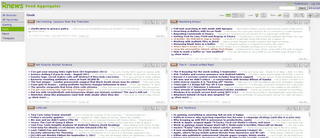
I still like my earlier feed reader and continue to use it: Rnews. I love its interface, and it is far easier to scroll through a bunch of feeds when Rnews displays it all in one page:

rnews-thumb

Any link that has long term value gets stored in my bookmarking application. For skimming past daily news, Rnews + Google Reader + direct access seems to suffice.