web2pdf – A tool to export bookmarks to PDF

Here’s a follow up to my earlier post on archiving. I spent a couple of days coming up with a quick Python app to fill my needs.

Here it is: web2pdf.

Once installed, the configuration simply expects a bookmarks.html file on the filesystem. It reads it, stores the contents to an sqlite DB and starts  saving PDF versions of each link there-in.

You can kill the script and re-run it at a later point in time and it will continue where it stopped. The output looks like this:

(pdf) bash-4.3 ~/code/web2pdf/web2pdf$ ./web2pdf.py 
Found 2599 links in the bookmark file
Found 2599 rows in the bookmark db
..of which 81 links are already saved
..and 2506 are pending
Hit enter to start downloading pending PDFs
Downloading https://www.quantamagazine.org/20170207-bell-test-quantum-loophole/ | experiment-reaffirms-quantum-weirdness

There are more details in the github link. I’m not happy with how fast slow it is but I seem to be limited by the library I’m using and the use-case itself: fetching a page is trivial but it has to render it before exporting it.

As always there is more to do but it works pretty well already. It tags failed bookmarks separately in the DB in case it needs retrying later. I’ve tried to speed it up using Python3’s native async/await, but the performance improvements are not noticeable so far. I’ll try with multiprocess instead and commit whichever one works better.
The trials of a link hoarder

Early days – Pinboard and friends

I read/skim a lot of news on the internet and my current major problem is information retrieval. For a while I used a combination of Pinboard with Pocket, and later, Diigo with Pocket.

pin
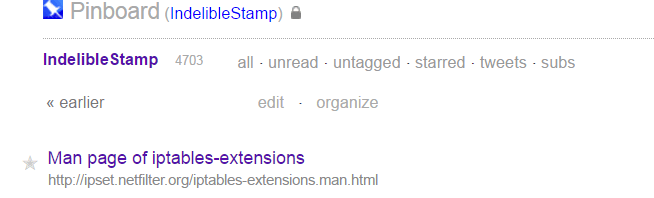
4k bookmarks on pinboard :(

Eventually I realized that it was painfully hard to recollect something I’d come across a few months back. I don’t use too many tags and what really mattered was the full text search.

The other problem was link rot. For both reasons I wanted an archiving service that would cache the page and let me search through and see the content even if it disappeared down the line. Pinboard has one, but my next problem/solution was PDFs.


Files (PDFs) instead of links

I have a few 100 PDFs I’ve collected along the way. It would be a pain to upload each of them somewhere just to archive it. So the next option I investigated was one that would combine the two approaches. I already use Google Drive and the web interface has decent search functionality. What if I could archive my remaining bookmarks as PDFs and just dump them to my Drive?

And along the way.. Evernote

ever
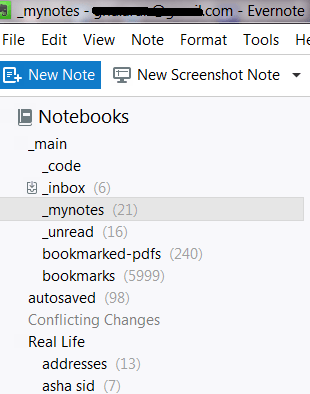
The evernote native client

The last piece is with Evernote. I started using it sometime back and have already imported my bookmarks and PDFs to it, but at this point it only has the title, tags and url for the links. It has pretty decent full text search as well. I’ve started storing a lot of other notes to it, with cross-references to other notes and links.

Where do I go from here? Evernote is actually pretty good except for the nagging fear of what would happen if it ever shut down.

DIY

So my current hobby project has two pieces to it.

  1. Import a bookmarks.html file and convert every link in it to a pdf. I’m picking python for this and have found weasyprint which seems to do the main conversion pretty well.
  2. Once I have a few thousand PDFs in my filesystem instead of links, find a nice, cross platform way to search through them. Evernote still works perfectly fine here so I’m not too keen on doing this immediately.

In summary: Evernote is cool.  The web clipper works great from browsers (not so much from the android app). The native windows client is pretty nice too, and its lightning fast to take a quick note and organize it later.

PDFs are probably going to be the main thing I’ll base my system on. I don’t have to depend on a closed-source service going down, nor do I have to worry about the source itself disappearing.

Change is in the air

I’ve decided not to renew my old domain (indeliblestamp.com). So I’ve got a new one, less imaginative but certainly simpler: arunsr.in.

‘arunsrin‘ is my handle at work and seemed to fit well with the .in domain.

I’ve now migrated indeliblestamp.wordpress.com to arunsrin.wordpress.com, and may in the future point my main domain to it.

Plotting eight years of book buying habits

Since late-2008, I’ve been adding my book purchases to my online catalog at LibraryThing. I thought 8 years worth of (a relatively small set of) data would be worthwhile to play with.
 
They had an export option that gave me a tab-separated dump of all these books. One column in this file is the ‘Entry Date‘ that shows when I added it to the website (usually within a day or two of buying it). This is what I was interested in.

My first exploration involved matplotlib. It did its job well but I got sidetracked into ‘prettier’ packages like plot.ly and bokeh. The latter is what I ended up using.

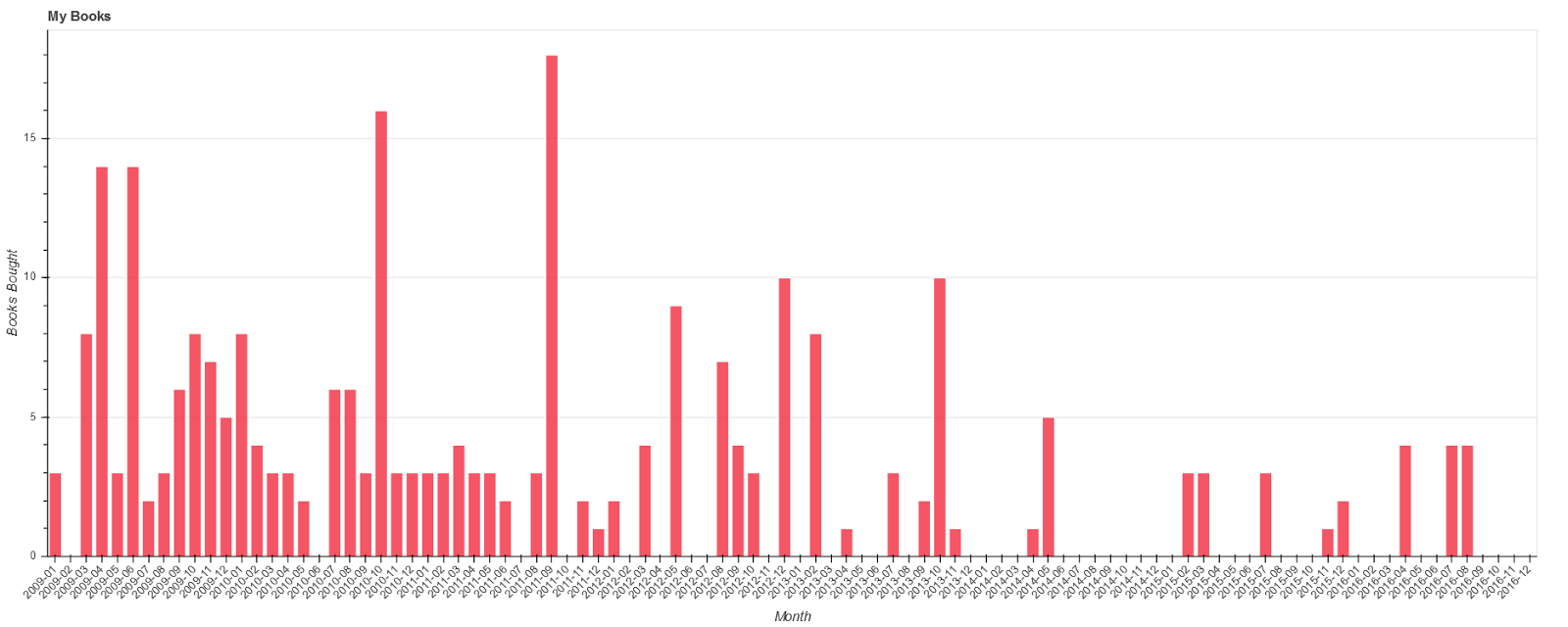
The data processing was trivial. I only needed to calculate how many books I added in a given month and plot a bar chart from the resulting counts. The result looks like this:

And it confirms what I suspected!

  • I got married in 2011. The density drops off drastically then, but is still reasonable.
  • Kid #1 popped out in April 2014, and the second little fellow in March 2016. The counts are a lot more sparse there onwards :(

I’m trying to get them interested in books so they’ll leave me in peace as well. Let’s see how that goes.

…and here is the code to make it happen. It’s just a simple script so I didn’t make the extra effort in packaging it and so on. I used anaconda/Spyder to develop the script, and it was pretty easy, despite my complete lack of knowledge in this area.

Some new ebooks

For reasons that I can’t fully explain, I bought some ebooks over the weekend, in spite of not having a good ereader. I have an ancient Sony Reader that hasn’t been touched in years, so that doesn’t count. I have two tablets in the same situation. My current phone has a small screen, so it’s not very comfortable for reading either.

I suppose the deals were good, although I would’ve liked to own proper books for some of them.

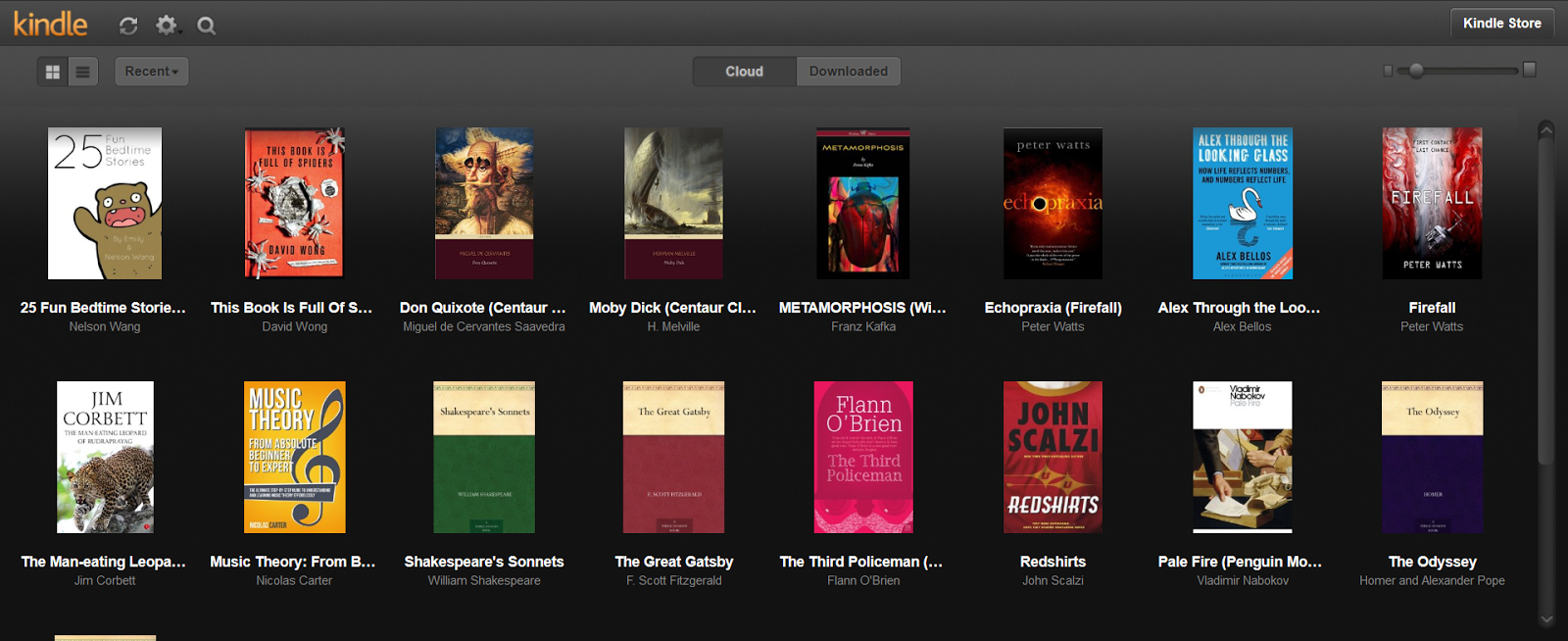
  • Peter Watts – Echopraxia and Firefall – I’m a huge fan of Starfish and the other books he’s written, so these were no-brainers.
  • Alex Bellos – Alex through the Looking Glass – A sequel to his excellent Alex’s adventures in Numberland.
  • David Wong – This book is full of spiders – Again, a sequel to a book I’ve already read and liked: the excellently titled John dies at the end.

Going by the other ebooks I’ve purchased in the past, these seem destined to languish in a virtual shelf for quite some time :( Given the high quality of the authors, I’d prefer not to though. And if I settle into a better rhythm with these than dead-tree books, who knows.. these might become my preferred medium for new purchases.

Spring cleaning: cancelling my online subscriptions

Having two kids can be hard on the wallet sometimes. And I’m never happy unless I’m switching browsers, servers, services or distros every few months. So my current effort has been to track all my online expenses and terminate them with extreme prejudice.

Here is a list of all the things I’ve been using, and what I decided to do with them. First, the ones I didn’t cancel:

  • The Browser – Still my favourite source for curated long reads.
  • LWN – And my favourite source of linux news.
  • Saavn – This is only Rs. 100 a month so I’m not saving much cancelling it. My favourite source for music streaming/download.
  • Google Drive – I pay $2 a month for 100GB, and this is too important to cancel. All my kids’ pics are here.
  • Gandi – They’re my registrar for this website. The site is hosted in blogger so that part is already free.
  • Lastpass – The next service I cancel will probably be this. But its not too expensive, and integrates pretty well with my lifestyle (multiple machines and phone), so I’ve become rather tied to it.

And here are the ones I have sadly had to cancel:

  • Fastmail – I moved back to gandi’s email service. The webmail is not that great but I can always use a dedicated client. I’ve also moved several newsletter subscriptions to my gmail account to reduce the traffic here.
  • ACM – I initially got this only for the safari account that came with it. But my best study time is during my commute, when I never have any connectivity. Cancelled.
  • Linux Journal – A decent magazine that I’ve been a member of for the past couple years.
  • Marvel Unlimited – A great service. But apart from the initial couple months, I’ve started using the service less and less.
  • rsync – I didn’t know I was still paying for this until I came across the recurring payment page in PayPal. Cancelled. Good service, but it didn’t fit in my workflow.
  • Newsblur – Another good service. I switched to a free alternative (Digg)
  • Magzter – Got a year’s worth cheap, but never really used to it. Magazines don’t look good on the phone screen. So many things to read, so little time!
  • HotStar – I got this only for Game of Thrones. They do have the Wire and a few other good HBO shows.
  • Netflix – No time.
  • FSF – This one felt bad, because this is the only non-profit I donate to. But the $10 a month did add up to a lot more than many of the smaller ones in this list.
  • Digital Ocean – I had a VPS here for playing around with new tools. My web-to-email tools were also hosted here. A toy VPS is the hardest to part with :(
  • AWS – My free tier expired so I got rid of this asap.

Not bad for a few days’ worth of digging around and moving stuff, I guess. I think I’ve saved around Rs 15000 30000 annually with this. But knowing my nature, it won’t be long before I slowly start resubscribing to some of these. A low end VPS is going to be high in that list.

Update: added netflix and the fsf.